Stars Reach Community & Official Links
Steam, starsreach.com, and safe Discord entry—separated from this unofficial fan wiki.
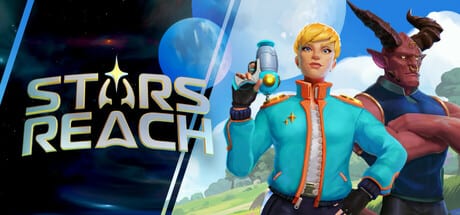
Use this page as your authenticated shortcut list for Stars Reach. It exists so you can reach Steam, the official website, and Discord via official entry points without mistaking this fan wiki for a studio property. Stars Reach enters Steam Early Access on August 18, 2026; until then—and after—treat the links below as the places where pack text, patch narratives, and server status become real.
Unofficial wiki disclaimer (read this first)
This website is unofficial. It is a fan-built wiki for strategy, onboarding checklists, and launch preparation. We are not affiliated with, endorsed by, or operated by Playable Worlds, Inc. We cannot reset your password, restore purchases, issue refunds, or publish binding roadmap promises.
When store copy, Starside posts, or Discord announcements disagree with a wiki paragraph, the official channel is correct. Bookmark this page for navigation, not for legal or support authority.
Steam store (purchase and news)
Primary storefront:
Use Steam for:
- Wishlisting ahead of the August 18, 2026 Early Access launch.
- Reading live pack tier descriptions for Firstlight, Voyager, and Cosmonaut.
- Confirming published system requirements and depot download size.
- Catching Steam news posts and hotfix banners after launch.
Tip: after you skim Steam’s pack section, open our pack comparison tool for a side-by-side reading aid—then buy only on Steam itself.
Official website
Primary studio site:
Use the official site for:
- Starside / news posts that explain design intent behind features.
- Longer update write-ups (including historical themes such as Crucible onboarding).
- Marketing pages, trailers, and links the studio chooses to highlight.
- Finding legitimate community destinations the team currently endorses.
If you only have time for one non-Steam tab per week, make it starsreach.com’s updates area, then return to this wiki’s patch notes guide to turn that post into an action list.
Discord via the official site
Playable Worlds maintains a community Discord for announcements, feedback, and event coordination (including Server Slam style tests before launch). Do not hunt random invite codes on social media. Instead:
- Open starsreach.com.
- Use the site’s published Discord / community button or footer link.
- Alternatively, follow Discord links embedded on the official Steam page or studio posts.
- Enable announcement notifications; mute noisy channels if you only need patch signal.
Why this matters: impostor servers and “staff” DMs spike around Early Access dates. An invite that did not come from Steam or starsreach.com is a red flag.
How to combine official links with this wiki
A practical weekly circuit:
- Steam — purchase state, install integrity, news.
- starsreach.com — narrative notes and known issues.
- Official Discord — immediacy (status, events).
- This wiki — Early Access launch, Getting Started, system requirements, and systems/skills hubs for play.
That order keeps authority clear: studios announce, fans explain.
Community spaces beyond Discord
Official posts often point to additional social profiles (for example studio YouTube, Twitch, or other networks listed on starsreach.com). Prefer those profile links over lookalike handles that swap letters. When someone shares a “leaked pack coupon,” verify against Steam—Stars Reach Early Access access is a store purchase flow, not a Roblox-style code cascade.
Support and account safety
- Steam purchases and refunds follow Steam policy—not wiki comments.
- Never paste Steam Guard codes into Discord.
- Never run mystery “optimizer” executables promised in chat.
- Report impersonators through Discord’s official tools and Steam’s reporting flows.
If you need gameplay help rather than account help, start with the Guides hub and the Updates hub instead of asking strangers for remote desktop access.
Launch-week link checklist
- Wishlist and, when ready, purchase on the Steam store page.
- Skim starsreach.com for any final Server Slam recap or launch-week Starside post.
- Join Discord only through those official doors.
- Keep this fan wiki open for onboarding structure—not as a substitute store.
- Remember the product stage: Early Access on August 18, 2026, not a claim of finished 1.0.
Sharing links with friends
When you invite a friend, paste the Steam URL and the official site URL directly. Avoid “link shorteners” you have not verified. If you quote prices ($29.99 / $49.99 / $79.99 tiers as publicly announced), note that Steam can revise bundle contents; the store page always wins.
Related reading on this wiki
- Links hub — why official-first habits matter.
- Early Access launch — date, packs, Server Slam expectations.
- Patch notes guide — how to interpret build themes after launch.
- Getting Started — first-session play order.
Keep this page pinned. Let official channels speak first. Use the rest of the wiki when you are ready to turn announcements into a plan for Haven, Crucible, and the wider sandbox.
Frequently Asked Questions
Quick answers to the most common questions.
Is this wiki official?
No. This is an unofficial fan resource. Playable Worlds channels and Steam remain the authority for purchases, patch notes, and account support.
What is the official Steam page?
https://store.steampowered.com/app/1925650/Stars_Reach/ — use it to wishlist, buy Early Access packs, and read Steam news.
What is the official website?
https://starsreach.com/ — use it for Starside posts, feature write-ups, and studio-published community links.
How do I join the official Discord safely?
Follow Discord links from starsreach.com or the official Steam page. Ignore unsolicited invites and fake staff DMs.
Can this wiki refund my pack?
No. Purchases and refunds are handled through Steam. Contact Steam Support for transaction issues.